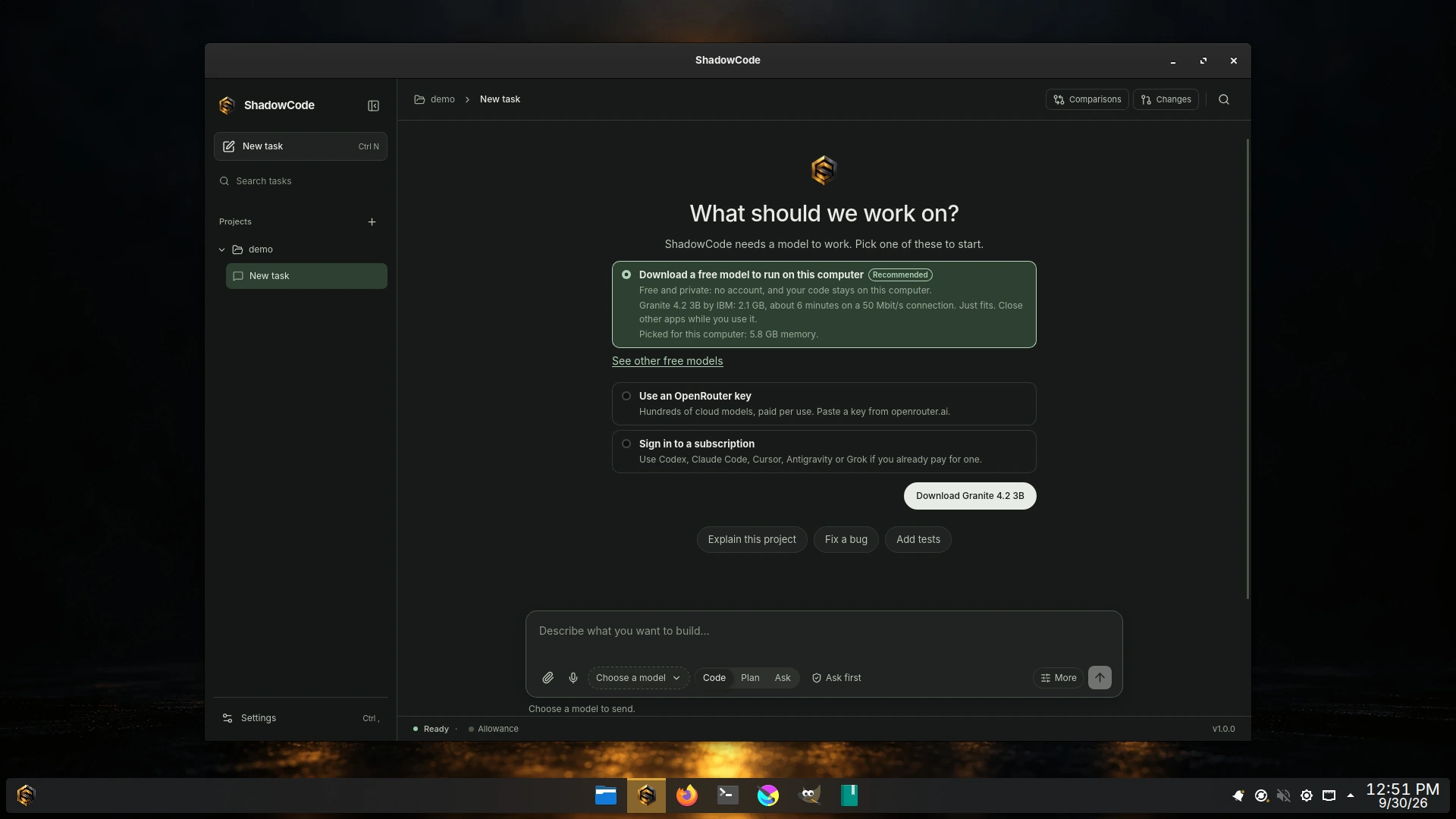
The Shadowfetch Linux 5.0.0 ISO ships ShadowCode 1.0.0, published September 30, 2026. The 5.0.1 update brings installed systems ShadowCode 1.0.1, published October 1, 2026, whose window no longer grows each time it opens. Version 1.0 is about being easy to start and ready for real work.
One harness, the models you already have.
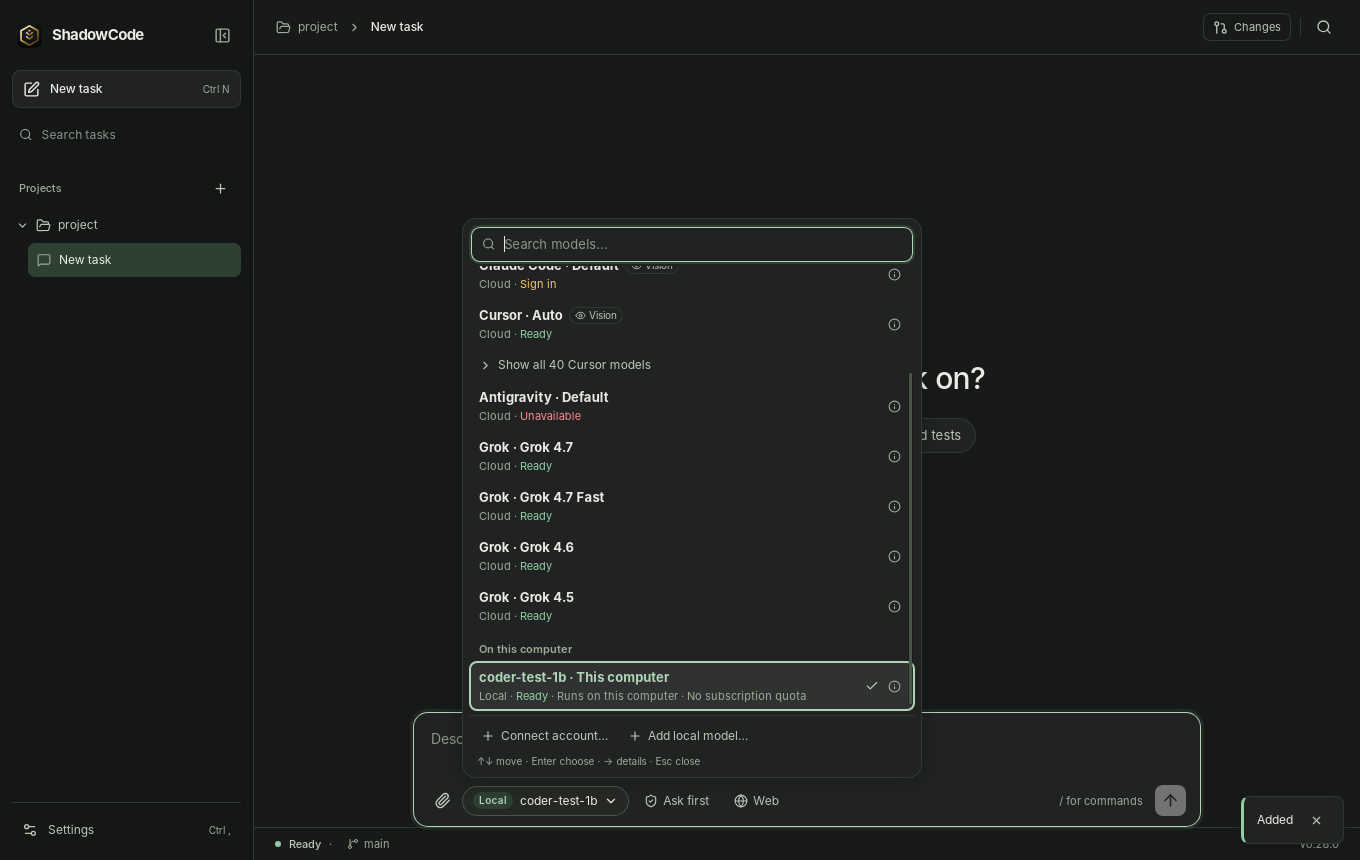
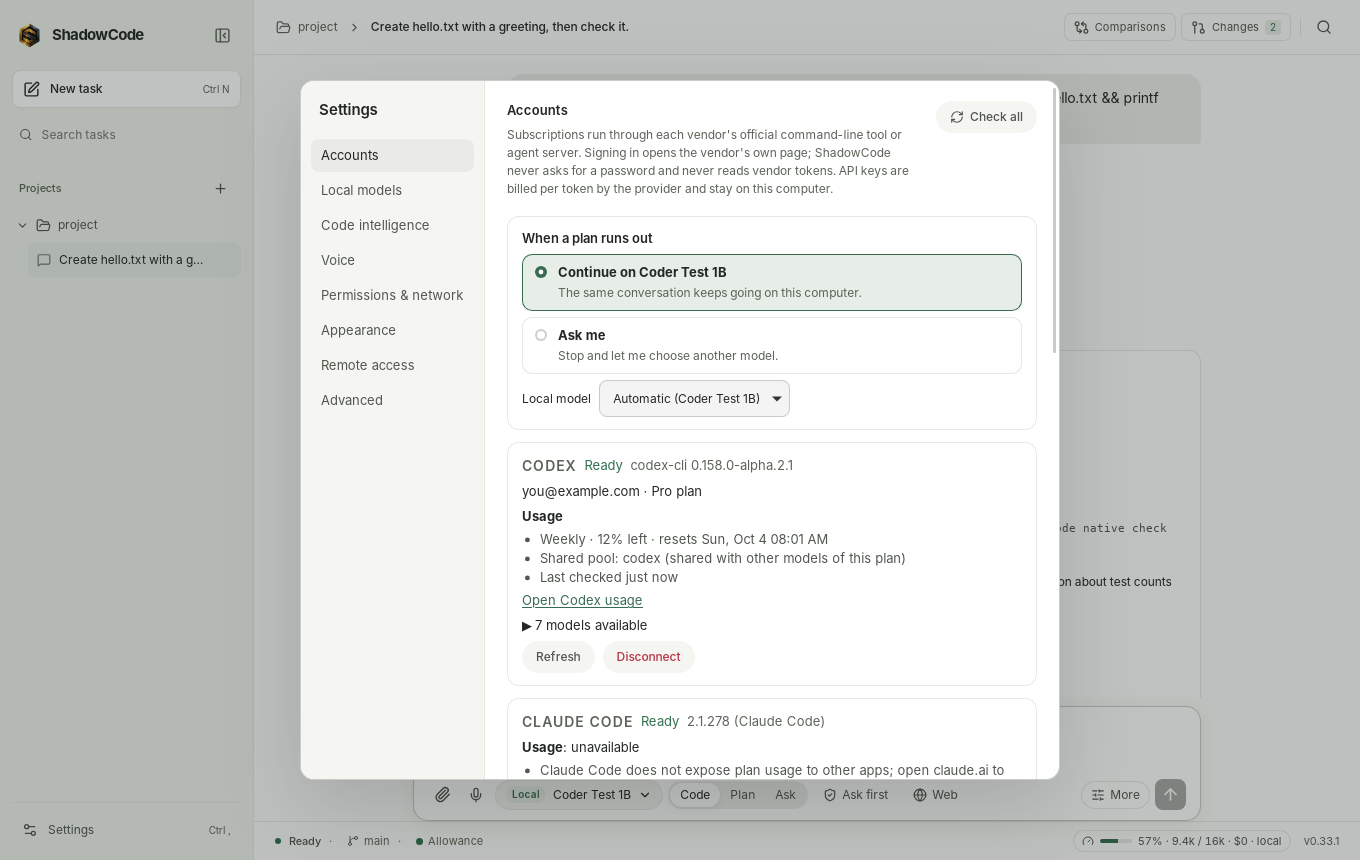
ShadowCode's composer has one model picker with three groups. Each row says whether it is ready and whether it runs on this computer or in the cloud.
| Group | What runs | What it costs you |
|---|---|---|
| Subscriptions | Codex, Claude Code, Cursor, Antigravity or Grok, driven through each vendor's own command-line tool or agent server. Sign in happens in the vendor's own login command; ShadowCode never opens credential files. | Your existing plan. Usage is shown only as the vendor reports it; ShadowCode never buys credits or turns on overages, and starts the CLIs with provider API-key variables removed. |
| API keys | Hundreds of OpenRouter models on ShadowCode's own agent loop. | Billed per token to your OpenRouter account, and labelled that way. |
| On this computer | GGUF models on the llama.cpp runtime bundled with ShadowCode (Vulkan GPUs or CPU). With no account at all, first run offers a free Apache-2.0 model sized for your hardware, downloaded only when you press Download. Until you connect a subscription, the picker lists these free models first. | Nothing per token. No Ollama or LM Studio required. |
You approve. You review.
Choose Ask before actions (the default for new installs) or Allow project edits. Every approval card shows the actual diff or command and says in one sentence what it does, how much it can affect (from Read-only to Needs admin) and whether Rewind can undo it, even for long shell commands and for requests from Codex, Claude Code and the other subscriptions. Always allow here remembers the exact test, build and lint commands you run all day, per project and easy to take back; it never covers anything that deletes, installs, uses the network or leaves the project.
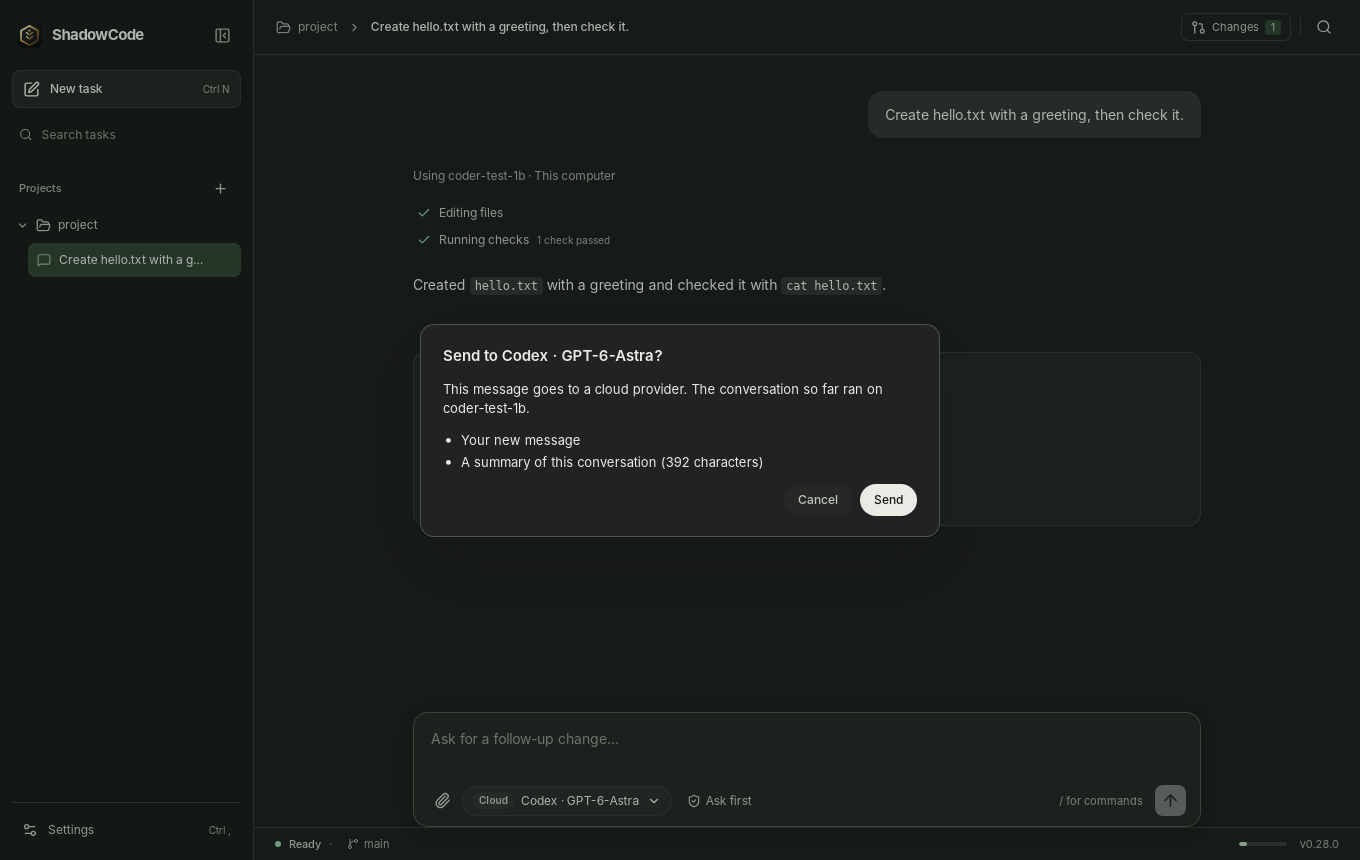
After a task, Review changes groups what it changed by risk, config and dependencies first, with Keep and Undo per change and Explain this change for a plain-words description of one file. Rewind covers shell commands and subscription edits too, and restores small Git-ignored files such as .env. Switching a local conversation to a cloud model asks first. If a task skipped or deleted tests, changed CI or switched off a check, the conversation says so.
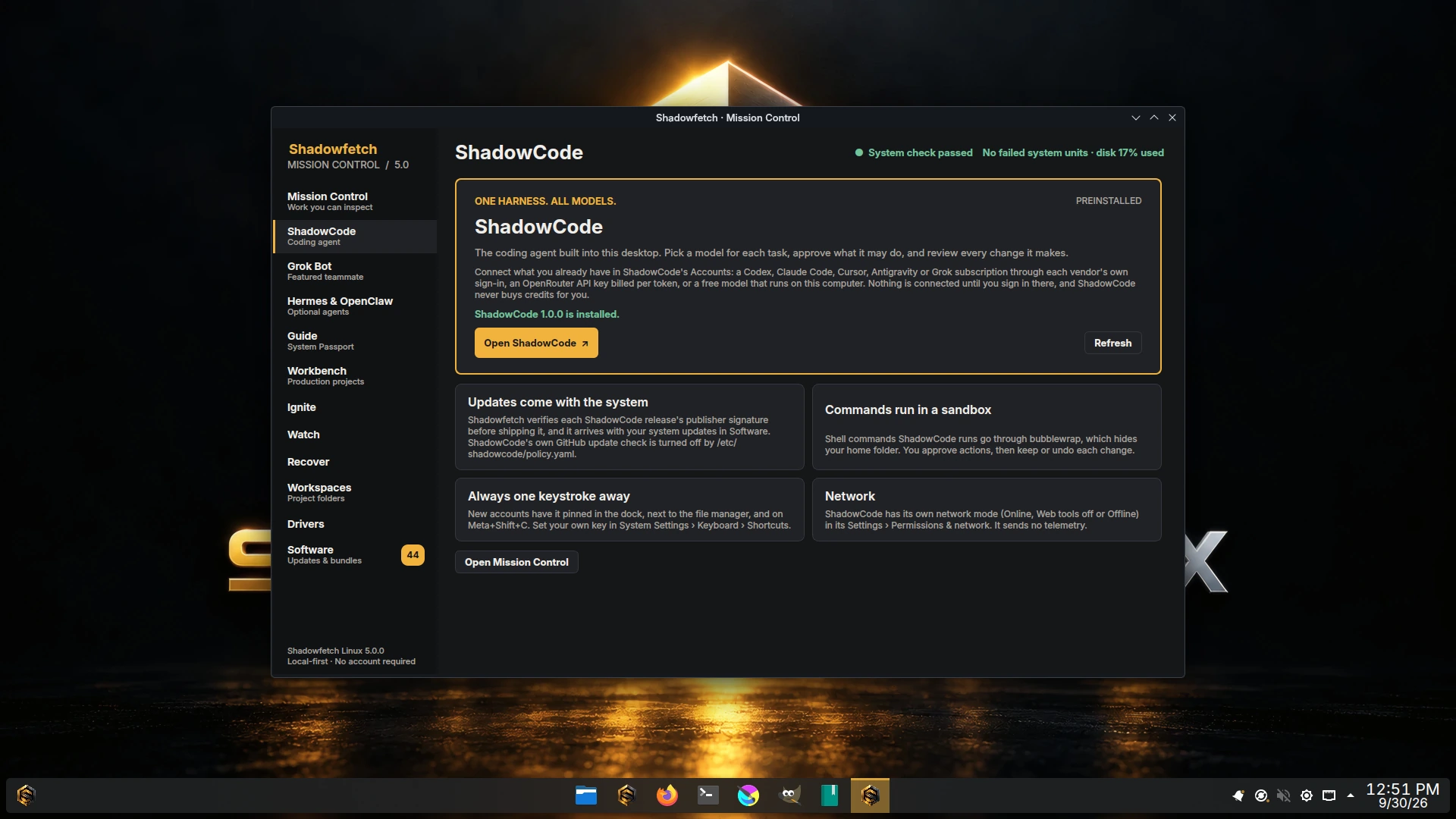
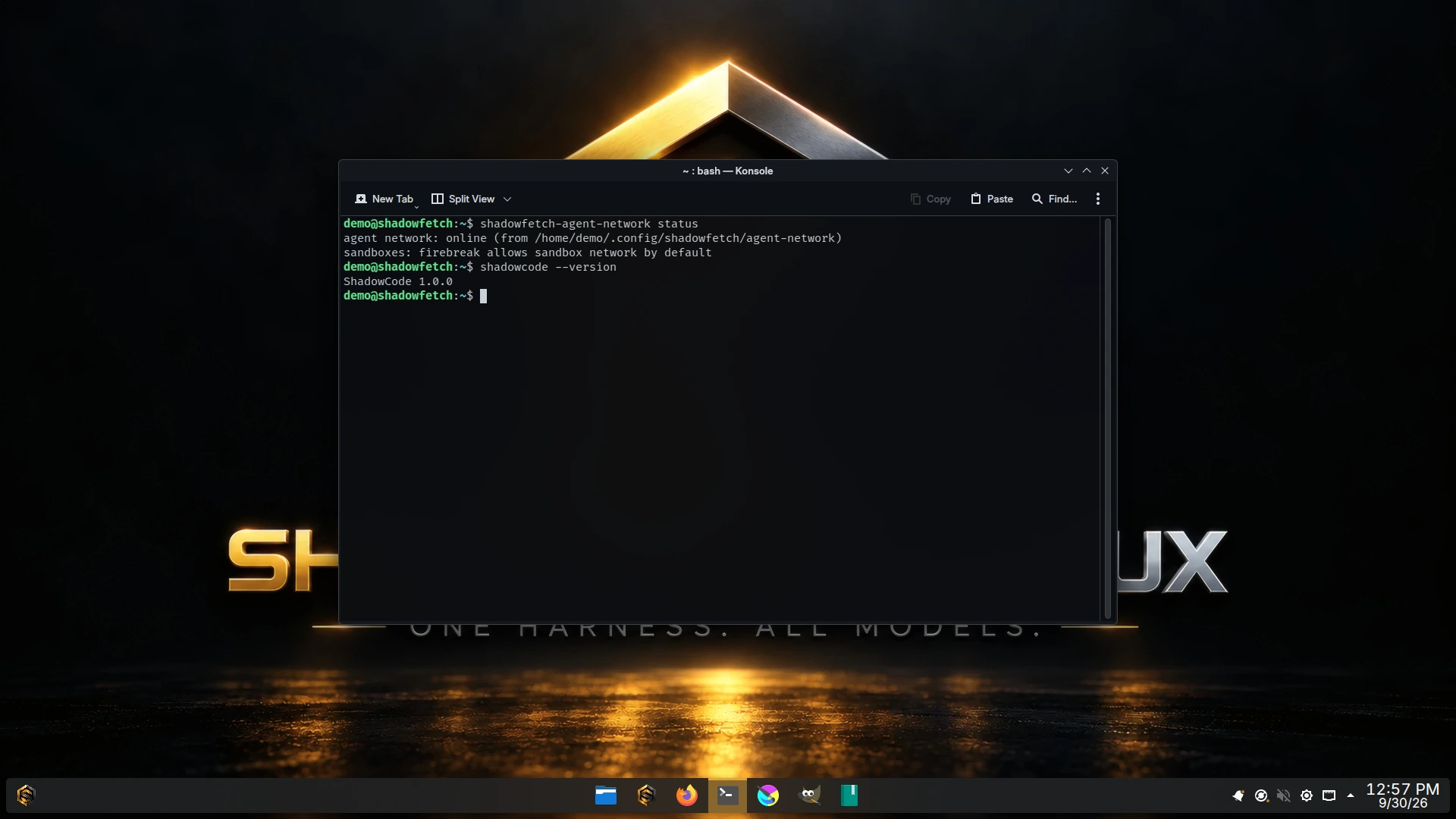
ShadowCode's own agent runs shell commands in a bubblewrap sandbox when it is available: an empty home folder, read-only toolchains, a writable project and the network off, on or limited to an allow-list. Vendor CLIs enforce their own sandboxes and do not inherit that one; ShadowCode shows the approval requests they send. That boundary is ShadowCode's. Shadowfetch's own Firebreak sandbox and shadowfetch-agent-network govern Mission Control and the three optional agents, not ShadowCode: ShadowCode starts Online, and Settings › Permissions & network › Offline limits it to models on this computer.
Nothing leaves by accident.
- Secret checks. Commits, pushes and pull requests made from ShadowCode are checked for keys, passwords and
.envfiles first; you remove the file, ignore it, or go ahead. Project Git hooks are asked about once per project. - Careful with new packages. When the agent wants to install a package, ShadowCode looks it up on npm, PyPI or crates.io: does it exist, how new is it, and is its name one typo from a popular one.
- Keys in the keyring. Settings › Accounts › Where your keys are kept moves API keys into the Secret Service keyring, and back. On Shadowfetch Linux a login keyring is created and unlocked when you log in, so saving a key does not ask for a keyring password.
- Spending limits. Paid models ask before spending more than $1 on a task or $10 in a day by default (you can change both) and show a price estimate before you send.
- Plain words when something fails. A key refused, credits used up, a conversation too long, a busy provider, a local model not running or no connection: ShadowCode says which, and offers the next step, such as Try again or Continue on another model…. Press ? for Help, which explains words like worktree, checkpoint, rewind, context and tokens.
Ready for real work.
- One rulebook for every agent. Rules, skills and commands written once reach ShadowCode's own agent and every subscription CLI.
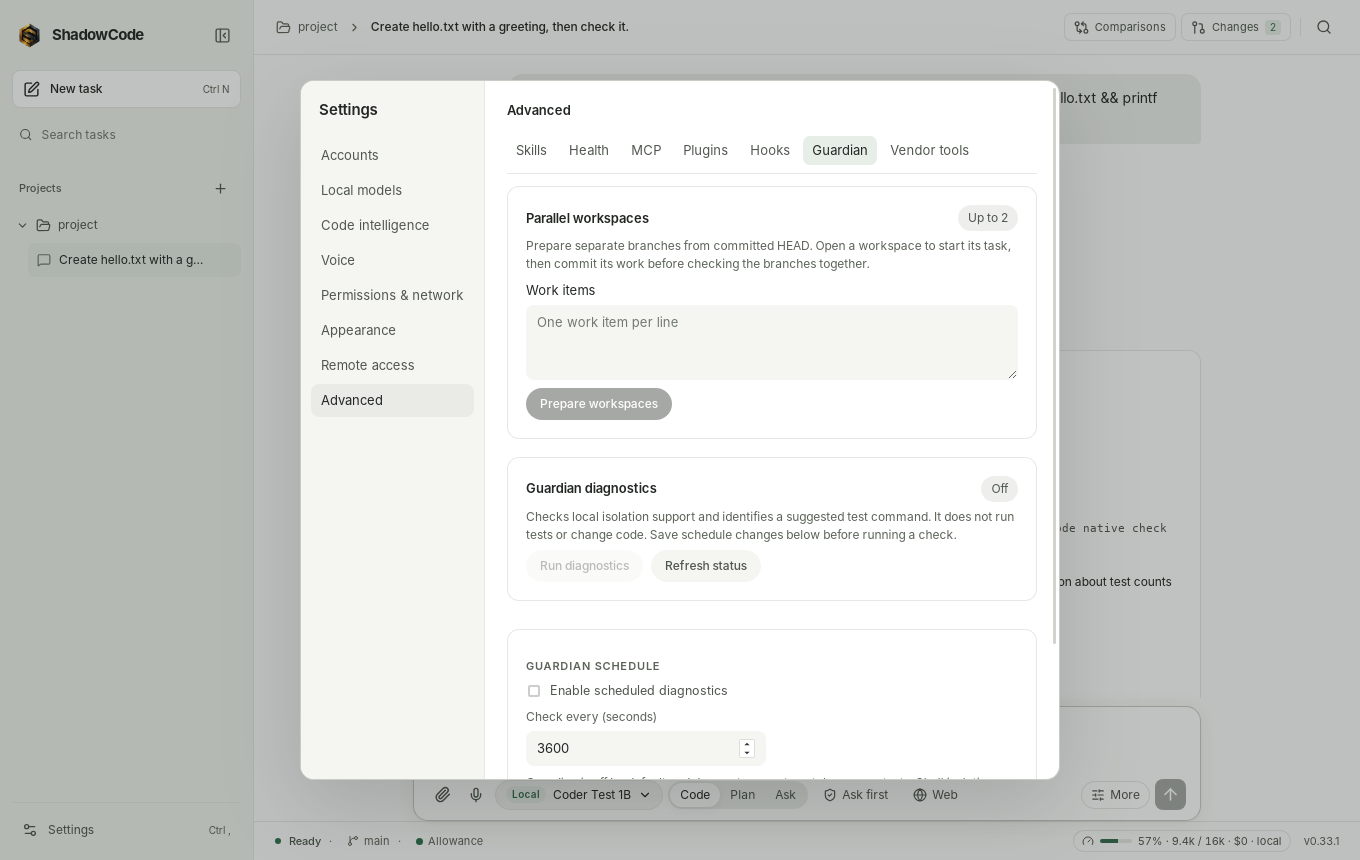
- Second opinions and roles. Have another model review your staged changes or a task before you commit, with each finding on its line; or give planning, implementing and reviewing a model each.
- Recovers on its own. Busy providers are retried with a visible count, a task can resume when a plan limit resets, and a task that fails the same way three times pauses and asks.
/compactshortens a long conversation and/pinkeeps what matters through it. - Big projects. The code index is kept between runs, covers up to 250,000 files and can focus on one folder of a monorepo. Worktree tasks can start from any branch, run your setup commands and get their own port.
- Your data. Settings › Your data, and
shadowcode backup,restore,doctor --repairandreset, back up, restore, repair or start over. A 0.34 profile upgrades in place; an older ShadowCode never opens a newer profile.
The full list is in ShadowCode 1.0.0's release notes ↗.
How it gets into the image.
ShadowCode is the one package in Shadowfetch Linux 5.0 that is not built from the distro tree. Shadowfetch republishes upstream's Debian package byte for byte and checks, at every step, that these are the bytes the upstream publisher signed for the pinned version.
- Package
shadow-code1.0.1 (the 5.0.1 update)- File
ShadowCode_1.0.1_amd64.deb, 28,892,500 bytes- SHA-256
dce2064d6b2df07aabf61e0ee9c9006383e22322e8895389dce09fb5f2490b8b- Release signing key
- Ed25519
f0c60ff8…3b7f - Upstream tag
- v1.0.1 at
e923e5e - On the 5.0.0 ISO
- 1.0.0 (
ShadowCode_1.0.0_amd64.deb, SHA-2566439c6307478dabe0a439fb400549fd5328a3bc527a71cf2561d141260e9d61a); updating installs 1.0.1
- The fetch step, the package gate and the ISO gate each re-verify the Ed25519 signature over upstream's
RELEASE-AUTHagainst a vendored trust policy, and compare the pinned size and SHA-256. Nothing trusts an earlier step. - The bundled llama.cpp may exist only under
/usr/lib/shadowcode/; the ISO gate fails if llama.cpp or ggml files appear anywhere else. - The source of the
.deb(ShadowCode, llama.cpp and SPIRV-Headers at the commits the signed release names) is published as reproducible git archives beside the APT repository. - Updates arrive as system updates through the Shadowfetch repository.
/etc/shadowcode/policy.yamlturns off ShadowCode's own daily GitHub update check, so it does not announce a release this system cannot install yet. shadowfetch-doctorfails when/usr/bin/shadowcodeis missing and warns when a user-level ShadowCode in~/.localtakes precedence over the system one, which then stops receiving system updates.
Where to find it.
ShadowCode is pinned to the dock and first in the application launcher's favourites, and Meta+Shift+C opens it. The Control Center has a ShadowCode page that reports the installed shadow-code version and opens the app; accounts, keys and models are set up inside ShadowCode. From a terminal, run shadowcode; man shadowcode has the command-line reference, and /usr/share/doc/shadowfetch/SHADOWCODE.md the Shadowfetch notes. CLIs installed in ~/.local/bin by 4.1's removed helpers stay in place and ShadowCode can use them.
On a machine with no GPU render node, as in many virtual machines, ShadowCode's window would otherwise idle at high CPU (122–174% in 5.0 VM qualification). Shadowfetch sets WEBKIT_DISABLE_DMABUF_RENDERER=1 for the session only on such machines, which brought it to about 7%; machines with a working GPU keep hardware rendering. ShadowCode 1.0.0 does not do this itself yet.
Connected at the end of Welcome.
The last step of first-boot Welcome opens ShadowCode and points you to its Accounts settings, where you connect what you already have: a subscription through its vendor's sign-in, an OpenRouter key, or a free model for this computer. Nothing is connected until you sign in there. Welcome no longer installs the Codex, Claude Code, Grok Build or Cursor command-line tools itself; ShadowCode connects vendor CLIs you have installed. The three optional agents →
Inside the app.
Elsewhere.
ShadowCode is Apache-2.0 and also runs outside Shadowfetch Linux as an AppImage or Debian package for x86_64 Linux with glibc 2.39 or newer. ShadowCode in the project catalog → · Source on GitHub ↗