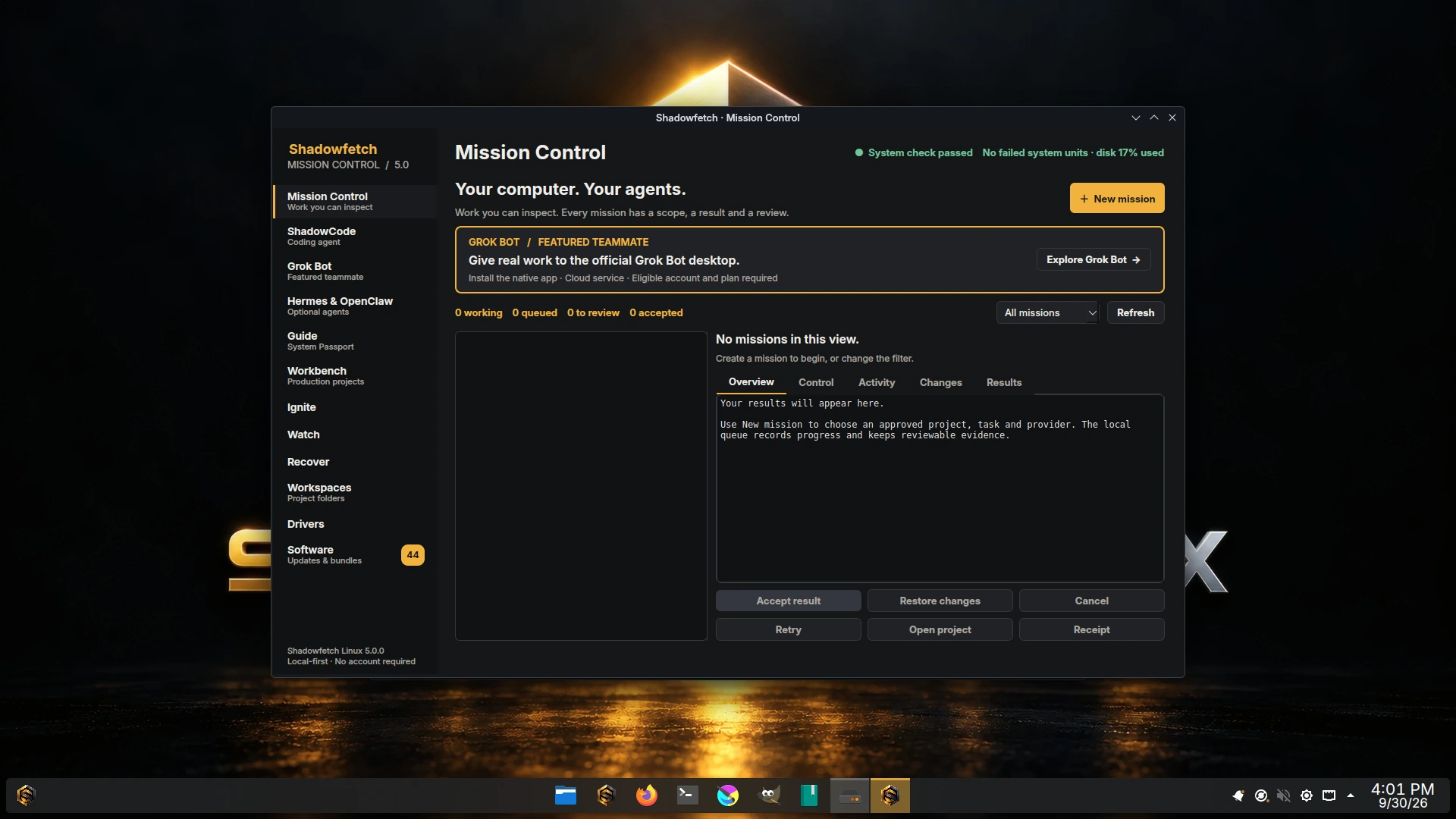
One mission. An explicit scope.
- Create a project in Workbench, then choose New mission.
- Select the existing project folder, workflow, instructions and provider.
- Choose the connection (Offline or Online for this mission) and, for code, approve the exact test command.
- Watch Activity. Inspect Changes, Results and the execution receipt.
- Accept the result or restore the mission's local changes.
Four providers ship: codex and claude run in the cloud on their own accounts, localmodel runs on device, and offline-media runs media exports. The provider is chosen per mission rather than once for the machine, and when more than one provider is ready for the capability a mission needs, Mission Control refuses to guess: pass --provider. When shadowfetch-agent-network is offline, new missions default to no external network and the online choice is disabled.
Approval scope covers the mission's egress destinations as well as its project folder and commands; grant it with shadowfetch-missions approve <id>. Declared destinations are what the egress allowlist filters on — a mission that allows the network without declaring a destination installs no ruleset and reaches anything this machine can reach. Two limits travel with a declared allowlist and are worth knowing before you rely on it: it filters by the IPv4 address each name resolved to on this machine at launch, so a host sharing an address with an allowed one is reachable and an address that changes afterwards is not followed; and DNS queries leave through the resolver in every connected posture, allowlist included, so an allowlist bounds where bytes may be SENT rather than what can be signalled out.
Projects live directly inside ~/Workspaces. In Dolphin, right-click a project folder and choose Shadowfetch Mission to open the same form.
Code & tests
Describe a concrete change and supply a test program and arguments. The agent works inside the approved project, attempts bounded repairs when tests fail, and leaves the diff and validation receipt for review. Code missions accept codex, claude or localmodel, but in 5.0.0 the localmodel bridge is chat-only: its code missions run a model turn and leave the code unchanged, so use codex or claude (each with its own paid account) for code changes. The two cloud providers use their own accounts and require explicit network approval; localmodel runs on device with network policy none and no credentials, but no model weights are bundled, so it reports installed-unavailable until you supply a model service. Pass --provider when more than one is ready.
shadowfetch-workbench create software-studio demo-project
shadowfetch-control --workspace ~/Workspaces/demo-project --kind code
Test commands are argument arrays; shell syntax is not silently evaluated. Cloud execution requires explicit network approval and the provider's own account or credentials.
Reports with sources
Select text files by their relative paths inside the project. The workflow builds a report with source citations and an execution receipt. Check whether each source supports its claim; the citation check does not replace editorial judgment.
Source reports run on codex, claude or localmodel, chosen per mission, with --provider required when more than one is ready. The cloud providers require explicit network approval, so select only the project material you intend to send to one of them; localmodel keeps the mission on device and needs the model service you supply.
Media exports with receipts
Choose source media files. offline-media is the only provider for media exports, so no provider choice arises here. The deterministic FFmpeg workflow exports them and checks the resulting streams. Output files, sizes, digests and validation records stay together, ready for review.
Results you can check.
Code missions retain their diff and test results. Reports retain citations for review against the selected inputs. Media exports retain stream checks, sizes and digests. The release evidence records the actual tasks and test conditions for the published image.
Persistent work, deliberate recovery
A queue that survives interruption
Queued tasks persist locally. One execution slot controls concurrent work. Running tasks have time and process limits, cancellation and bounded retries; interrupted tasks need attention instead of silently repeating.
Review before acceptance
A successful task waits for review. Check its activity, diff and artifacts. Local restore uses its project checkpoint and refuses conflicts with newer edits. Recovery cannot reverse external effects of an approved network action.
Other agents have their own windows.
ShadowCode is the preinstalled coding agent for interactive work with your own models. Grok Bot, Hermes Agent and OpenClaw are optional agents managed in their own applications. The codex and claude mission providers use the vendor CLIs you install and sign in to yourself.