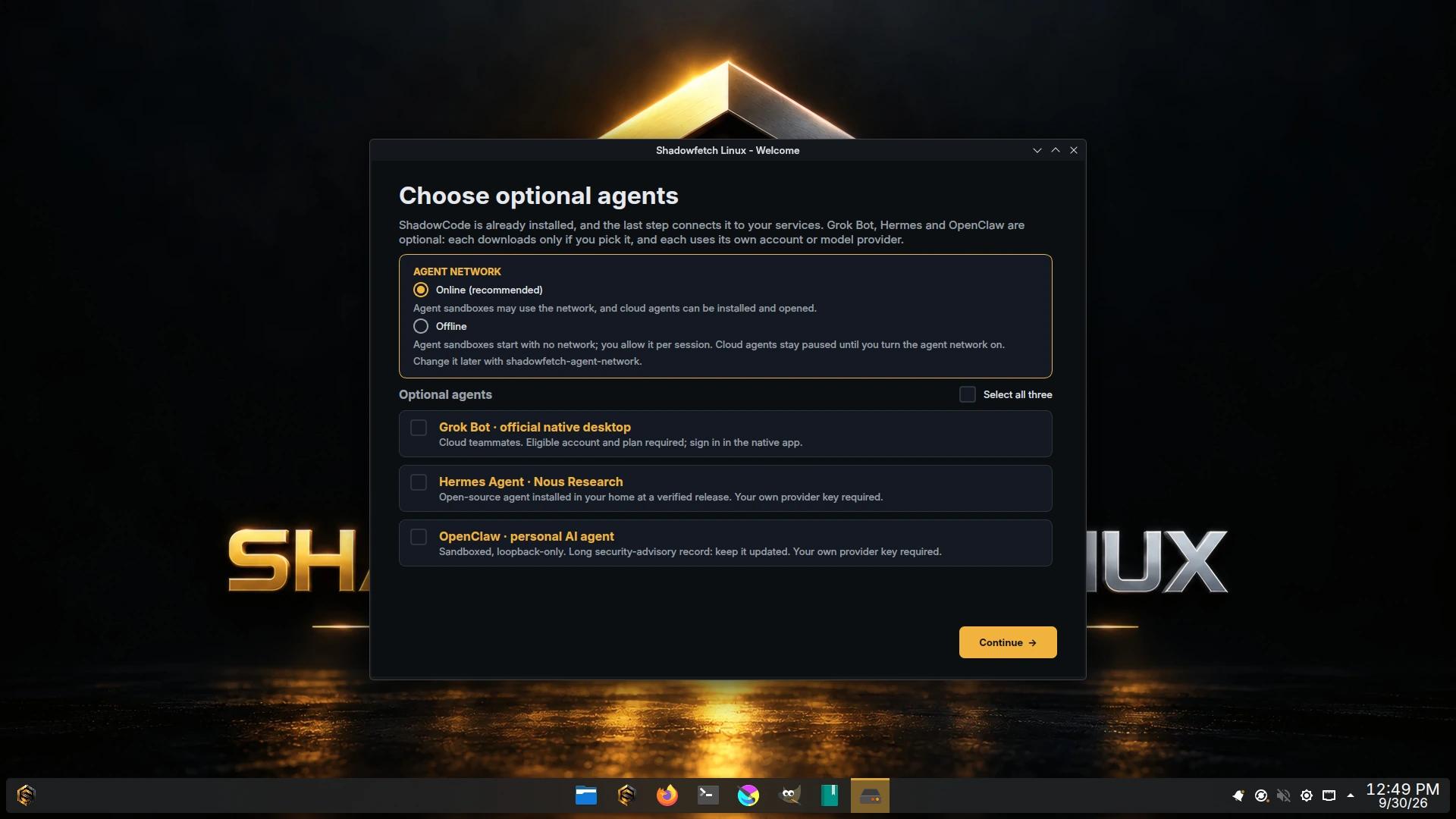
Exactly three, none preinstalled.
After apps, Welcome asks one question, Agent network: Online (recommended) or Offline, then lists Grok Bot, Hermes Agent and OpenClaw. The "Agent workspace" profile preselects all three, but nothing downloads until you confirm, and the release gates refuse an image that has Hermes or OpenClaw preinstalled. When the step is done, Welcome opens ShadowCode to connect the subscriptions, API keys or local models you already have.
| Agent | How it installs | What it needs |
|---|---|---|
Grok Botshadowfetch-grok-bot | The official native desktop, pinned at 0.61.0. The package is verified before administrator approval; the vendor update source is added. | Internet and an eligible vendor account and plan; sign in in the native app. |
Hermes Agent 0.21.5shadowfetch-hermes | Nous Research's own installer from the pinned release commit (f97608f), checked by SHA-256, byte count and git blob, and run as you into ~/.hermes/hermes-agent (about 2 GB). No root: sudo, pkexec, doas, su and run0 are replaced by refusing stubs during setup. | Your own model-provider key. MIT licensed. Not sandboxed: Hermes runs commands and edits files as you. |
OpenClaw 2026.9.6shadowfetch-openclaw | npm ci into your home from a lockfile Shadowfetch ships, every tarball pinned by SHA-512 and npm registry signatures verified before any install script runs. Debian's own nodejs and npm; no root. | Your own model-provider account or key. MIT licensed. |
After first boot, Mission Control's Hermes & OpenClaw and Grok Bot pages install, update, open and remove them.
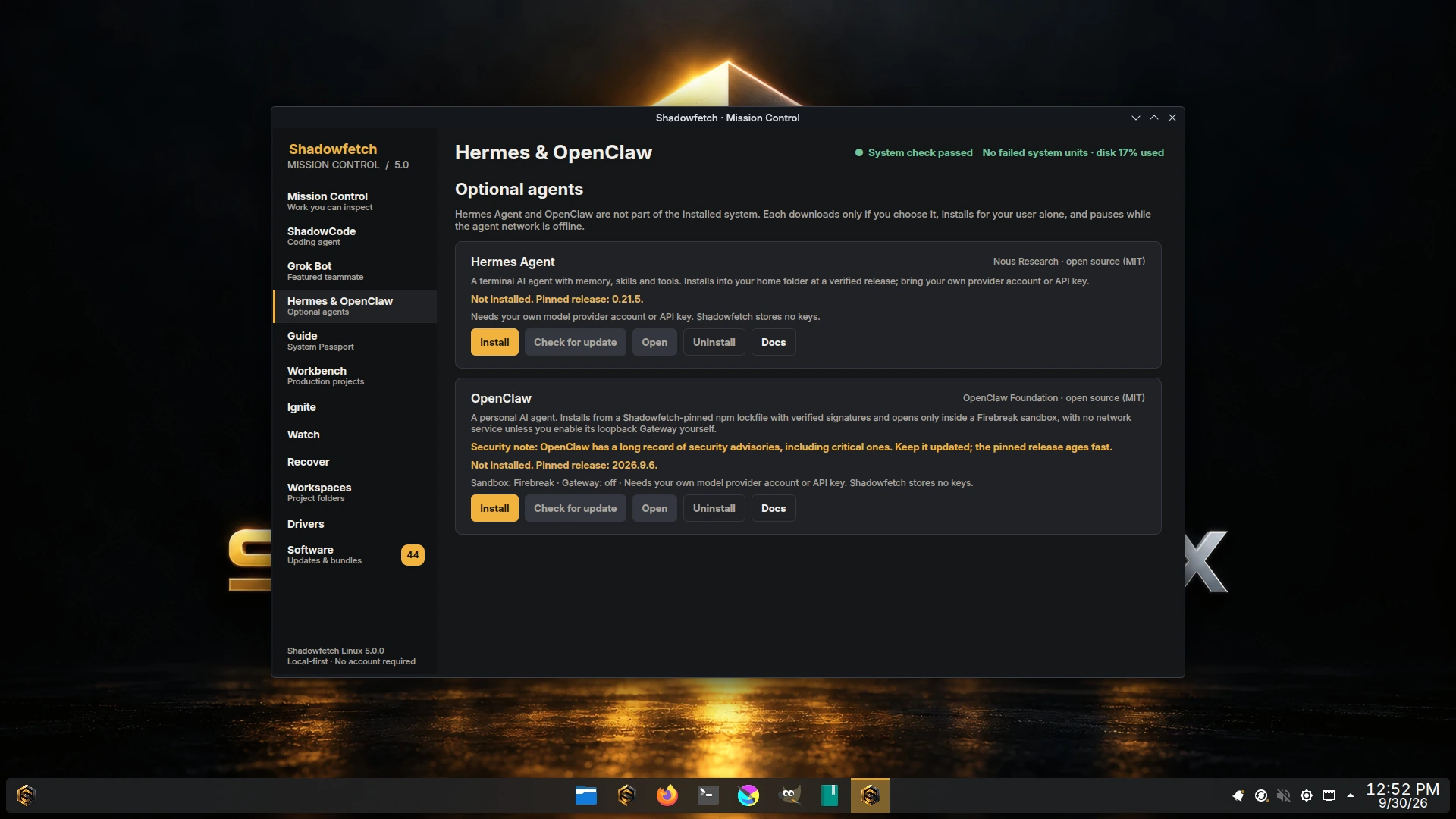
OpenClaw, with its record disclosed.
OpenClaw has a long security-advisory record. The consent text Shadowfetch shows before setup says so plainly (it counts more than 700 GitHub advisories since early 2026, including critical ones) and links the advisory list. That is why its integration is shaped the way it is:
- Sandboxed.
shadowfetch-openclaw openruns OpenClaw's local chat inside Firebreak, with a private home and one writable folder,~/Workspaces/openclaw. - Gateway off by default. Setup never installs its Gateway or daemon. Only
shadowfetch-openclaw gateway enabledoes, after confirmation, pinned to 127.0.0.1. An enabled Gateway runs outside the sandbox with your file access. - Keep it updated. A pinned release ages fast.
shadowfetch-openclaw updateshows the new version and verifies it before installing; note thatupdateuses a lockfile npm generates at that moment, whose dependencies Shadowfetch has not reviewed.
These measures narrow exposure. They do not make OpenClaw safe or fix vulnerabilities in OpenClaw itself.
Updates you see before they happen.
Hermes and OpenClaw each have a verified update path: shadowfetch-hermes update resolves the latest GitHub release, cross-checks its commit and installer, shows old → new and installs only after you consent; shadowfetch-openclaw update does the same against npm with integrity and signature checks. Both have status, doctor, open and uninstall.
shadowfetch-hermes status --json
shadowfetch-openclaw doctor --json
shadowfetch-openclaw gateway status
Offline means offline.
All three read shadowfetch-agent-network. When it is offline, Firebreak sandboxes start with no network, and Grok Bot, Hermes and OpenClaw setup, update and launch are paused. The setting does not change ShadowCode's own network mode; ShadowCode has its own Offline setting under Settings › Permissions & network. Switch deliberately with shadowfetch-agent-network set online. A setting left over from a 4.x Ice installation reads as offline.
Not included, on purpose.
No account, subscription, API key or model credential ships with Shadowfetch Linux. The Codex, Claude Code, Grok Build and Cursor command-line installers that earlier releases offered in Welcome are gone; ShadowCode connects vendor CLIs you install yourself. Each vendor's own terms and data handling apply, and this integration does not imply sponsorship or endorsement.